The Combo kit discount takes a set percentage, 5% by default, off kit prices for Combo members. There is no code to enter. It applies only when BePrepared fulfills kits itself. While kits are passed through to Amazon at cost, there is no markup to discount, so no Combo discount is taken off kit prices. Some profile labels still mention one: the Combo row lists "5% off kits", and the discount card can read "0% off kits". Neither changes what you pay.
Why don't I see a Combo discount on kits?
Most likely because kits are being passed through to Amazon at cost right now, and a price with no markup has nothing to take a discount from. Not adding a markup to Amazon kits is a standing policy, so in that mode there is no separate Combo discount to give.
You can tell which way kits are sold from any kit page. Open a kit from Browse Kits and look at the notes beside the price:
- "Sold and shipped by Amazon, not by Be Prepared" and "Secure checkout on Amazon.com" mean the kit is passed through at cost. You finish the purchase on Amazon, and no Combo price lines appear in the catalog or on the kit page.
- "Shipping calculated at checkout" means BePrepared fulfills the kit directly. That is when the Combo discount applies.
While kits sell at cost, Combo still gives you BeAware and BeReady together for one price, plus a discount on BeAdvised consulting sessions.
Who qualifies when the discount is on?
Anyone with an active Combo subscription qualifies. So does anyone who holds an active annual BeAware and an active annual BeReady at the same time, since together they cover the same ground as Combo.
These do not qualify:
- BeAware only or BeReady only.
- A monthly BeAware alongside a monthly BeReady. Both have to be annual.
- The free plan.
To check where you stand, open the Subscription tab on your profile and find the Discount Eligibility card. When you qualify, it says the kit discount is unlocked and gives the reason: "Combo subscriber," or BeAware annual and BeReady annual both active. The same rule unlocks the BeAdvised consulting discount.
Holding both products with one on monthly billing? A note on the tab suggests moving both to annual, which is what unlocks the discount.
Where the discount shows up
When kits are fulfilled directly and you qualify, the discount is automatic. There is no code and no button.
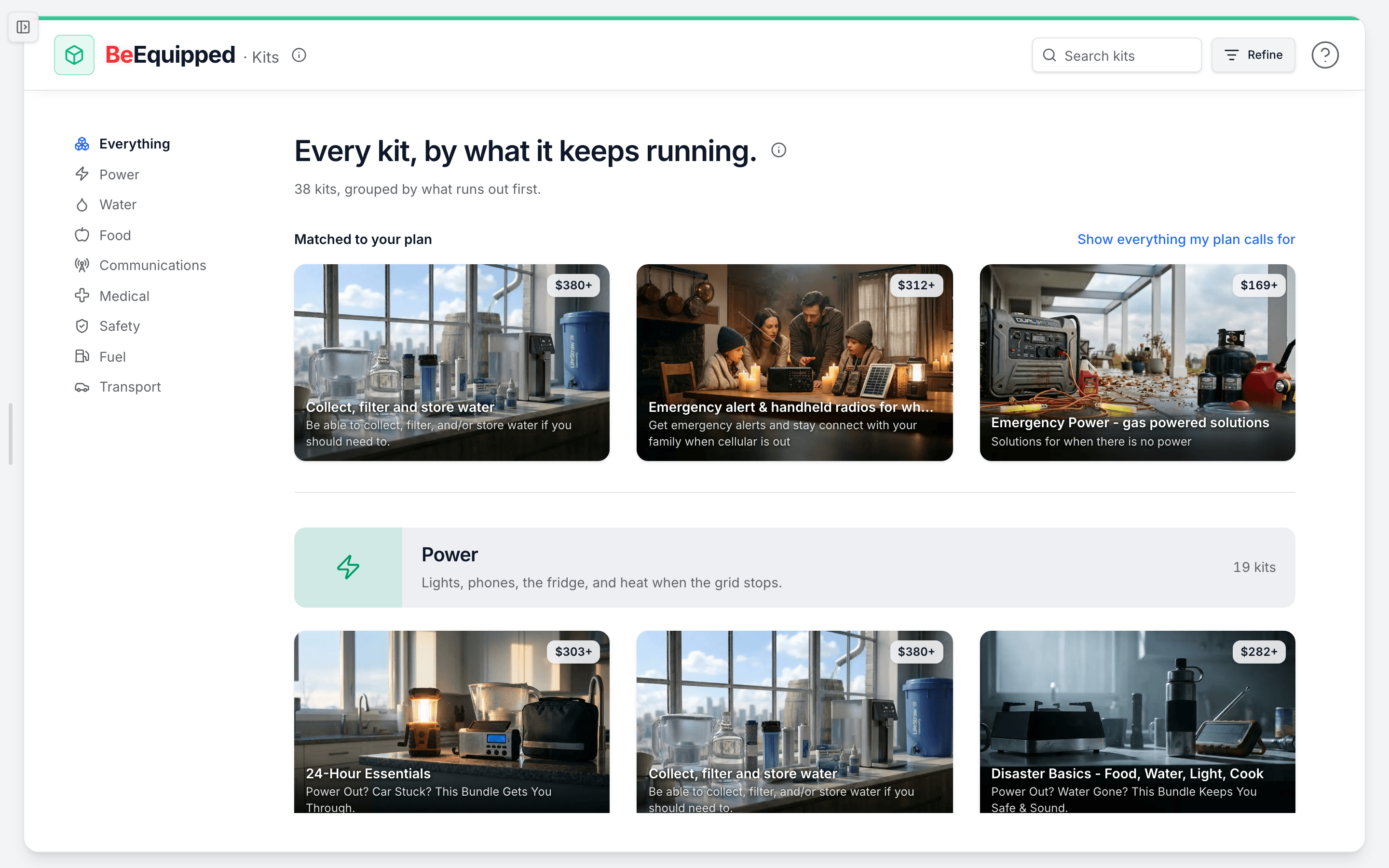
- Go to Browse Kits.
- On a wide screen, look for the "X% off applied" badge in the page header. It confirms the discount is active on your account. About these kits (the info icon next to Kits) also says "Combo member pricing is applied."
- Browse. Each card's price already includes your discount, so there is no math to do. The discount is taken before the price is rounded, so the figure follows the same rounding as every other kit price.
- Open a kit. Under the price, a green note reads "As a Combo member, you save $X on this item."
- Add the kit to your cart and check out. The discount is applied again at checkout, on the server, to the price you are charged.
If you do not qualify, the same pages show what Combo would save you instead:
- A green pill in the page header, Save X% with Combo (on wide screens). Tap it to read what Combo includes, and use See pricing to compare plans in a new tab.
- A second line on each card, "$Y with Combo."
- On a kit page, "Save $X with a Combo membership" with an Upgrade button.
How much is it, and can it change?
The standard Combo kit discount is 5%, and it covers every kit in the catalog, not a chosen few. The percentage is a setting we can change, so trust the number on the badge and the cards over any figure you remember. Those always show the current amount.
Switching to Combo
With a single annual product, you may be able to switch to Combo in place, paying just the prorated difference. Changing your plan covers the upgrade window and the steps. You can also compare plans on the pricing page.
Combo joins two halves of being ready: alerts that tell you something is changing, and a plan that tells you what to do. Kits are where that plan turns into supplies.